Chrome extension for contractors
Catch change-order emails before they become unpaid work.
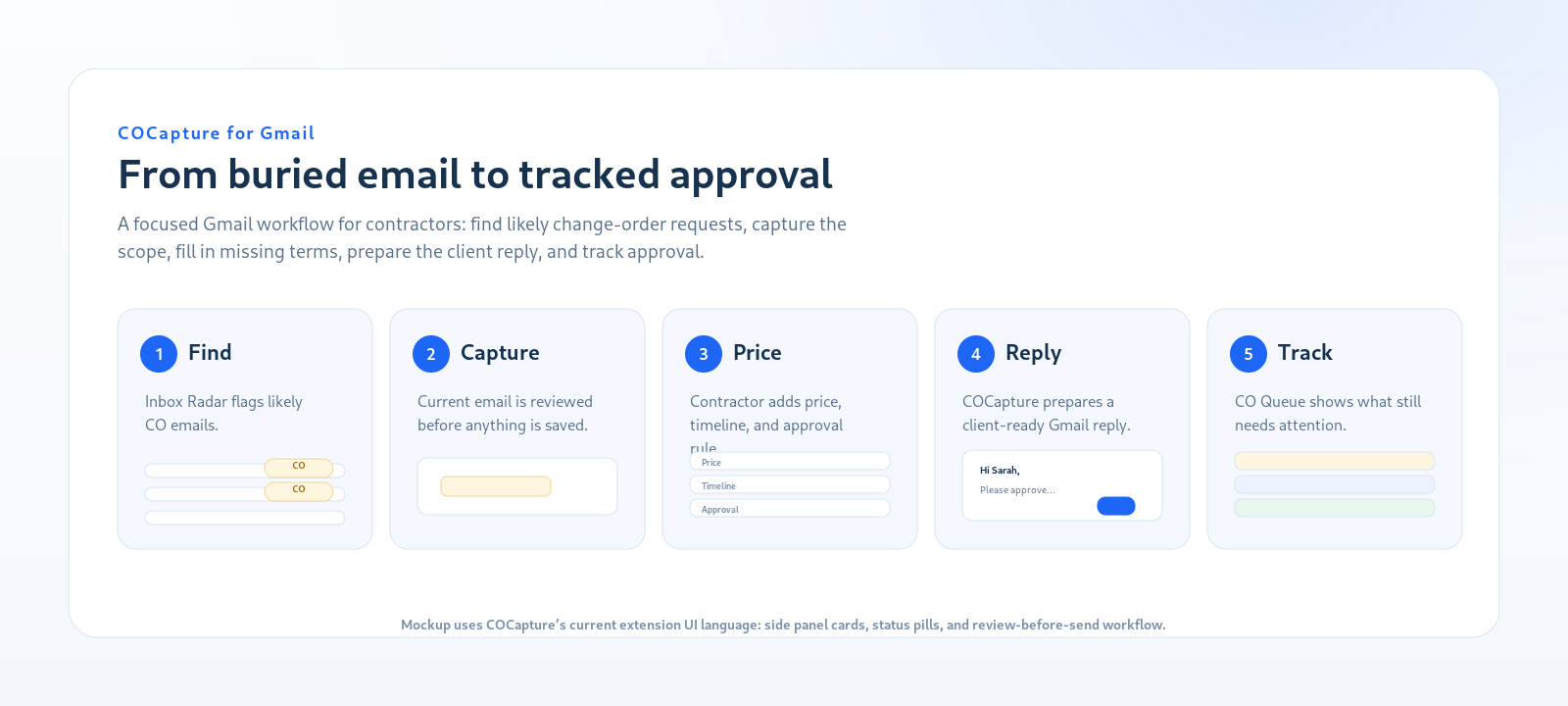
COCapture scans Gmail for possible scope-change requests, prepares protective replies, and keeps captured changes in a simple approval queue.
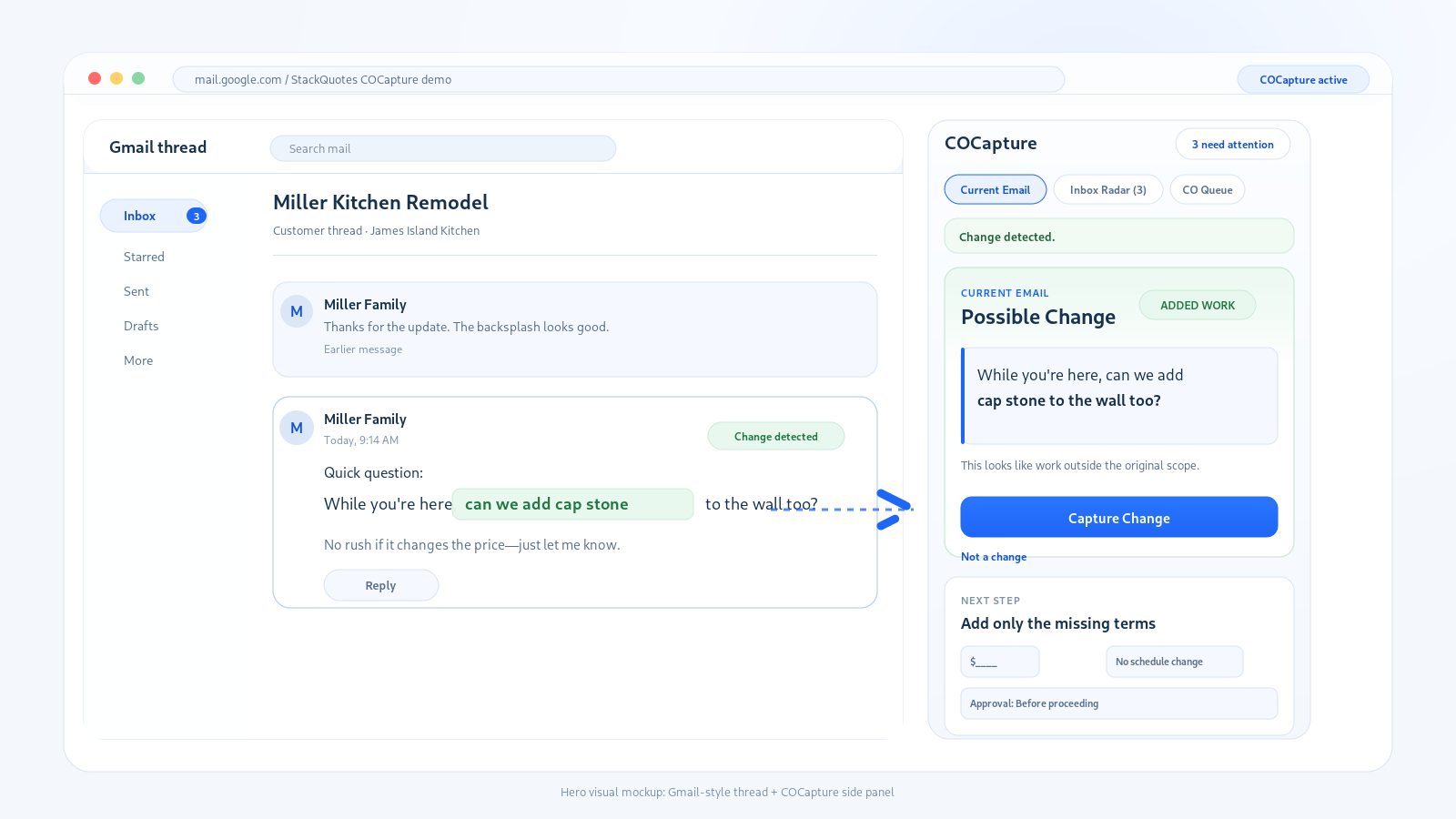
How COCapture works
The extension stays focused on Gmail-based change-order capture, reply preparation, and approval tracking.
Step 1
Inbox Radar
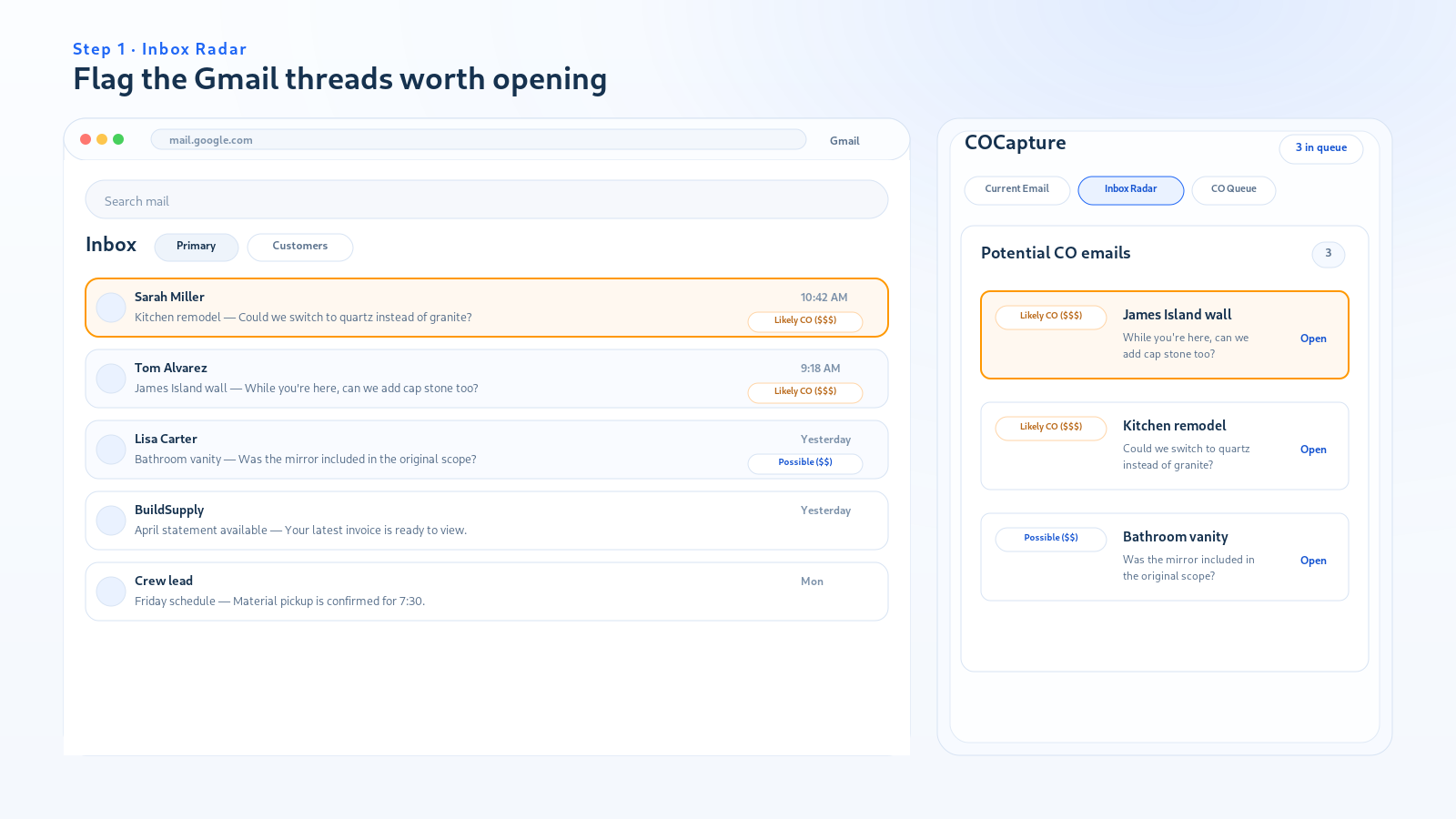
COCapture scans visible Gmail inbox rows and flags messages that may contain added work, swaps, credits, pricing questions, or scope clarifications.
Step 2
Capture the current email
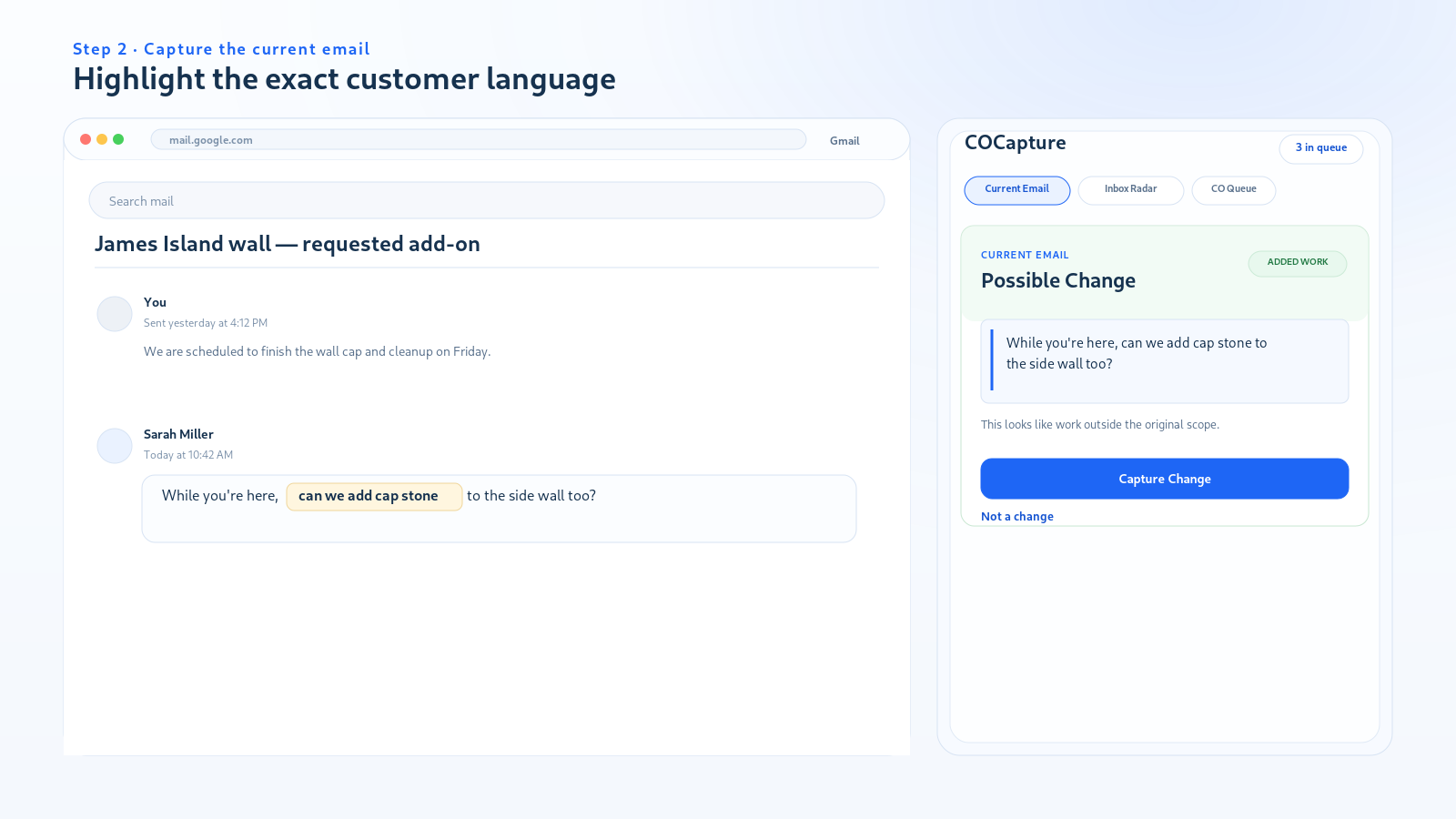
Open a thread and COCapture highlights the exact language that looks like a scope change.
Step 3
Add only the missing terms
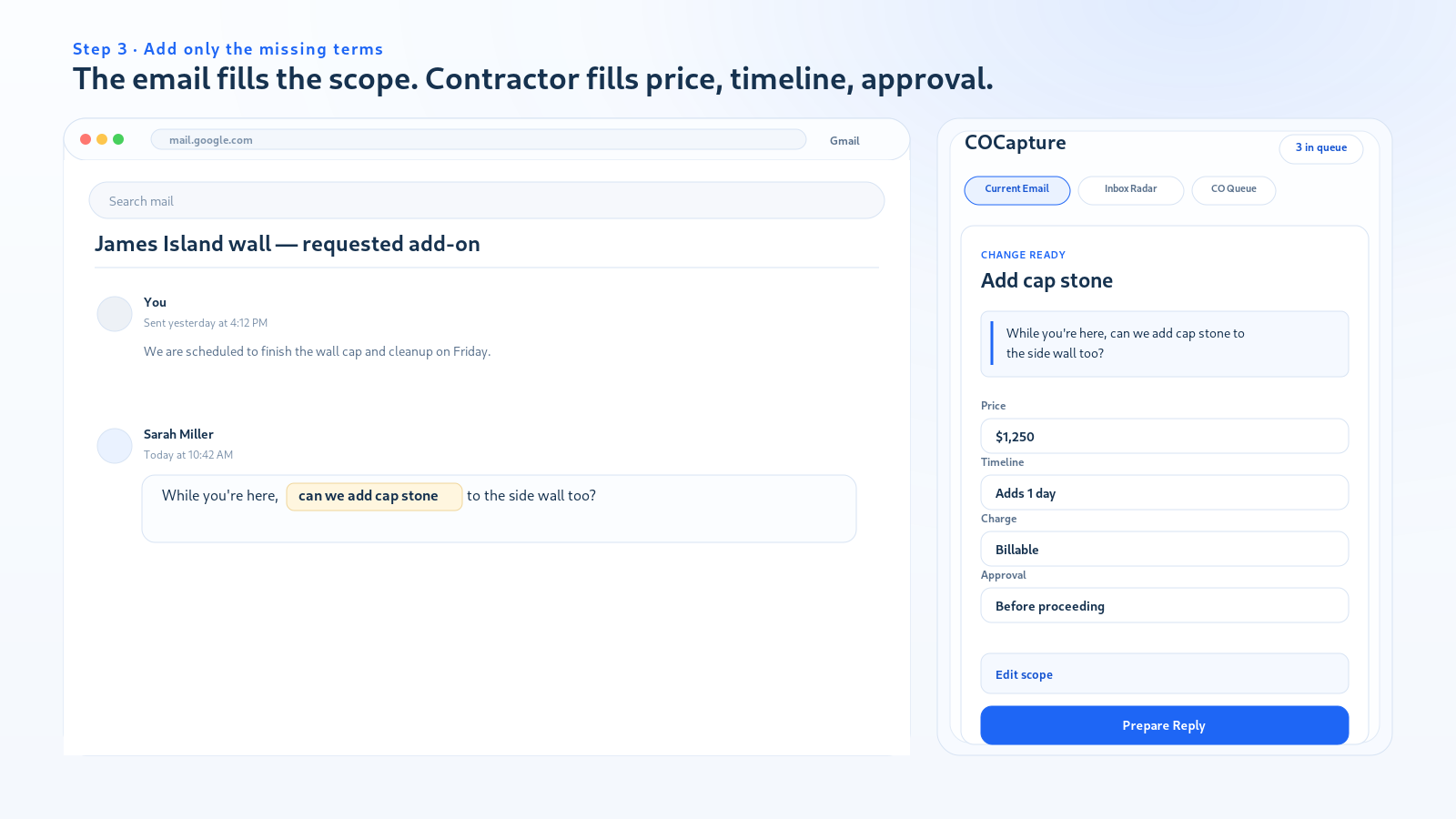
Enter price, schedule impact, charge type, and approval rule. Everything else is extracted from the email.
Step 4
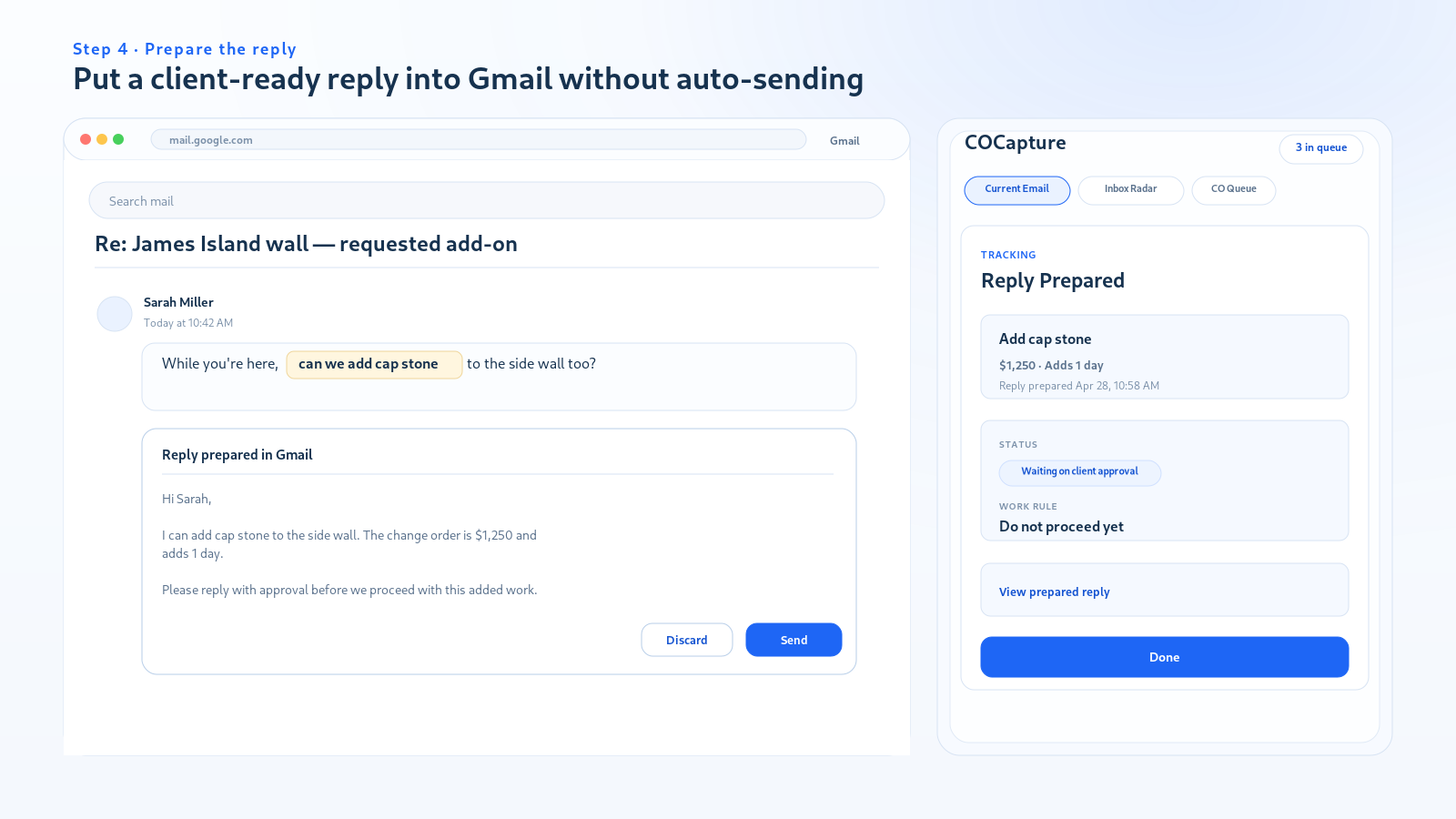
Prepare the reply
COCapture prepares a client-ready Gmail reply. It does not send automatically; the contractor reviews and sends.
Step 5
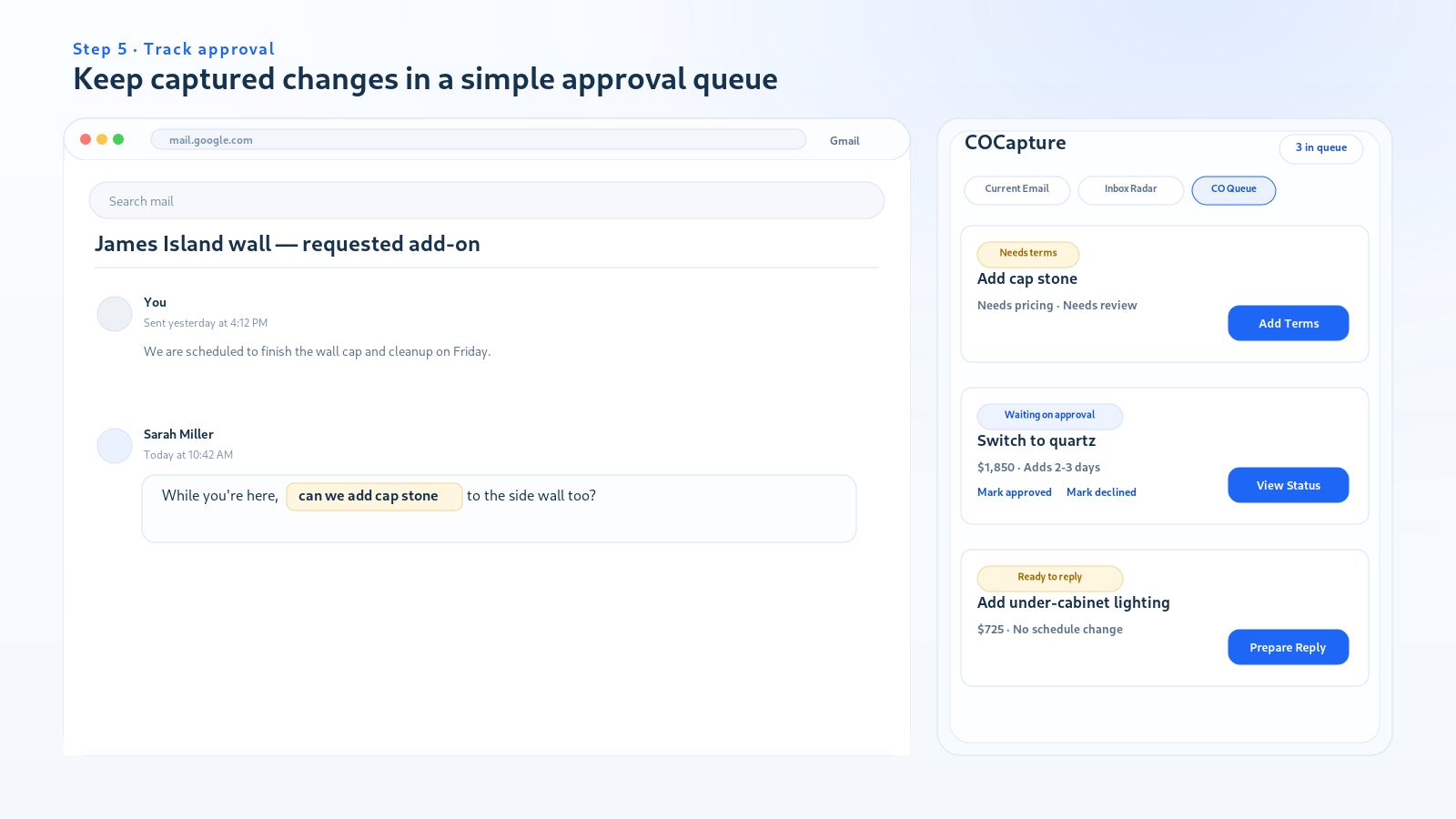
Track approval
Captured changes move into CO Queue so the contractor knows what is waiting on client approval.
Simple pricing
$19/month for the solo COCapture plan. Billing is handled by Stripe. Cancel anytime through the billing portal.
Built for the StackQuotes workflow family
COCapture is part of the StackQuotes contractor workflow family, but it stays intentionally narrow: Gmail-based change-order capture, reply preparation, and approval tracking.
Install COCapture from the Chrome Web Store
COCapture is live in the Chrome Web Store. Install the extension, open Gmail, and use the side panel to catch possible change-order requests before they become unpaid work.